
Maestro 20
The Maestro 20 modem is a very reliable GSM device for SMS messaging. You can buy this hardware in our office: Victor Hugo u. 18-22., Budapest, Hungary 1132. The product can also be purchased by mail order, provided the price is transfered to our bank account in advance.
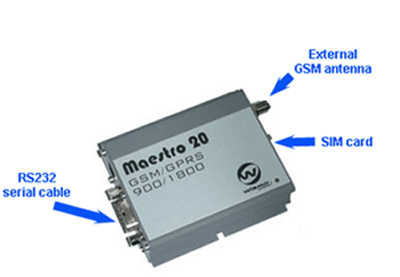
Product overview
It is a ready-to-use GSM modem for voice, data, fax and SMS services. It also supports Class 2 for high speed data transfer. Fargo Maestro 20 can be easily controlled by using AT commands for all kinds of operations. With standard 9-pin RS232 port and telephone-like audio plug (via optional cable) Maestro 20 can be set up with minimal effort. It can be quickly connected to the serial port of a desktop or notebook computer. Maestro's metal casing makes it an appropriate solution for tough applications such as Telemetry or Wireless Local Loop (payphones). Its small size makes it simple to integrate in a space restraint environment. With one programmable I/O port for connection with external devices.
Technical information:
SMS features:
Power requirement:
| Rated | 450mA |
| GSM 900* | 310mA |
| GSM 1800# | 240mA |
| GPRS 900 CL 10* | N/A |
| GPRS 1800 CL 10# | N/A |
| Idle mode | 35mA |
(* communication mode PCL=5
# communication mode PCL=0)
Intarface onnections:
Dimensions:
Optional accessories: