
SMS API for PHP developers
Ozeki Message Server can be used to send out SMS messages from any application. In order to send a message, the application must perform an HTTP request. The built in webserver of the Ozeki Message Server receives the request and adds the posted SMS message to the outgoing message queue. After some time the message will be sent. (The status of the outgoing message can be queried by subsequent HTTP requests)
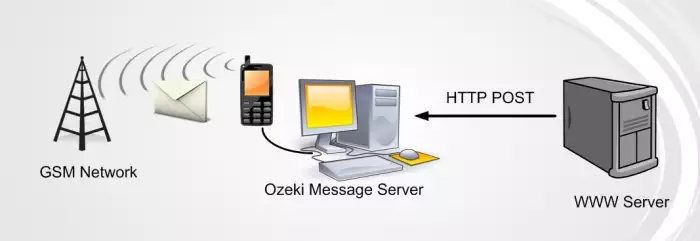
To send an SMS message from PHP, you may use the following code. This example will send a text message containing the text Hello World to the telephone number +36205222245.
PHP EXAMPLE
http://localhost/smssend.php
<?php //Open the URL to send the message
|
Binary message types such as WAP PUSH messages, Operator Logos and Ringtones can also be sent using this technique. All you have to do is change the messageType field and the message content. A list of supported message types can be found on the following URL:
https://ozeki.hu/p_488-sms-message-types.html
PHP EXAMPLE 2
http://localhost/index.php
The code below will display an HTML form including fields for the sender, the recepient, the message, as well as a Send button. It contains a PHP code which will process the contents of the form and send an SMS mesage to the Ozeki Message Server if you click on the Send button. During the processing, make sure you use urlencoding, otherwise the PHP will send incorrect data to the Message Server.
<?php |
Questions: How do I tell a PHP application to use an specific smpp connection.
Answer: You should specify the "Operator name" on the SMPP configuration form.
Then you can use this operator name in the PHP application. E.g. if you put "Vodafone1"
as operator name in the SMPP configuration form, in the PHP plugin you should write:
echo "{GSMSMS}{Vodafone1}{}{+36201234567}{Hello world}\n";